Templated Messages
A message template is a message format that you can use to message users once they have opted-in and given your application permission to send messages. This is either a formal, repeated message such as a conversation opener, or it can be a reusable template approved by WhatsApp.
The Frontline app has built-in support for templated messages. For more information on WhatsApp templates, see Message templates and sending WhatsApp notifications with message templates.
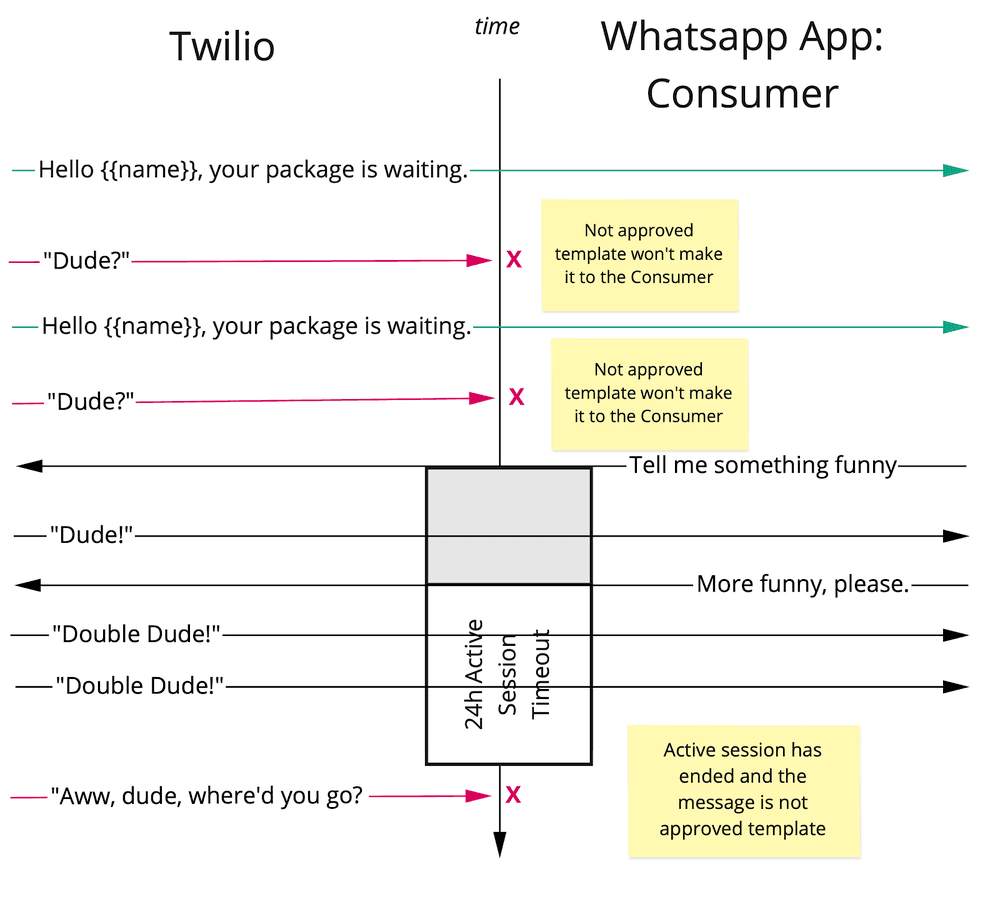
WhatsApp has a limitation in which you can only send approved templates until a user responds back to a message. When a user sends you a message, a 24 hour session will then open and within that session, you can send any message you'd like without using templates. If a session expires you will have to start a new session with a templated message.
Note: To make a template visible in the WhatsApp channel, when there is no active 24 hour session, you need to add whatsAppApproved: true flag on each approved template.
Templated messages can be defined as a string with placeholders.
Template example: Hello, this is \{\{Author}}. Just to confirm I am on my way to your office.
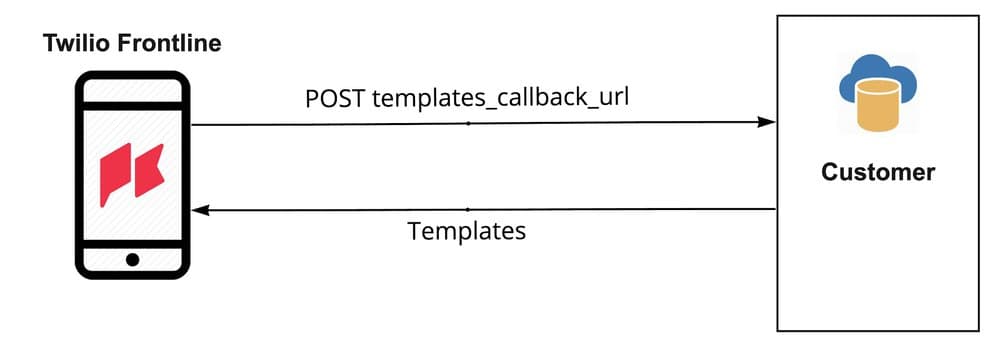
The templated messages are provided by the customer's backend. When the application requests templates through templates_callback_url, it passes customer, worker and conversation identifiers. The templates are rendered based on those attributes. As a result, the server responds with already processed templates as plain texts, populated with data.
Populated template example: Hello, this is Jane. Just to confirm I am on my way to your office.
The diagram below shows the flow of fetching the templated messages list:
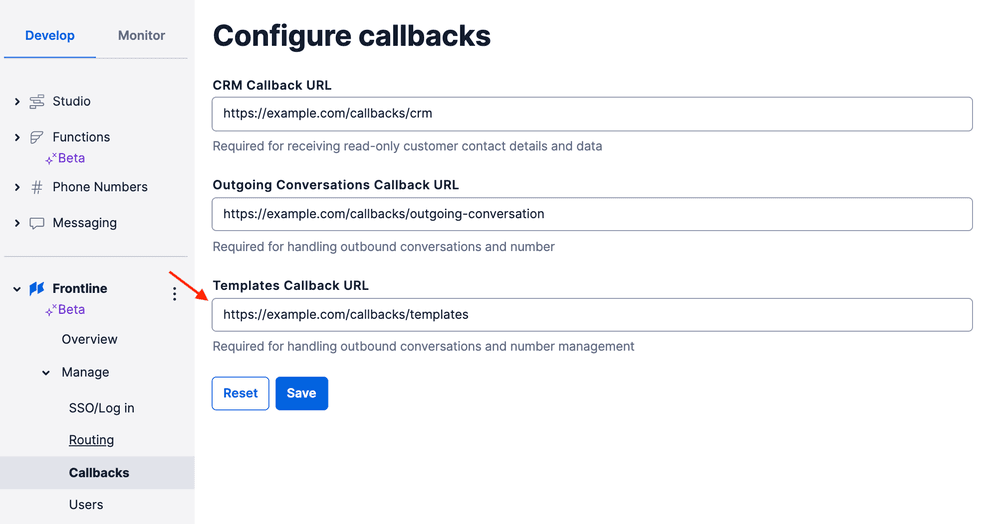
To configure templates, open Frontline console and set Templates Callback URL configuration option to a URL that will respond back with templates JSON.
When the Frontline application makes a POST HTTP request to your server, it includes information about the action that triggered the callback to your web application. Each action has its own Location type. The Location will be sent with the rest of the parameters in the request body in application/x-www-urlencoded format.
In addition to the location-specific parameters, each request also contains the following parameters and information:
| Parameter name | Type | Description |
|---|---|---|
| Location | string | A single callback URL might be used for different purposes. This parameter is meant to help determine how to process a request |
| Worker | string | The app user identity |
Info
Frontline will send a request with Content-Type header of application/x-www-urlencoded and will expect a response with Content-Type header of application/json and a body based on the Location parameter.
You can retrieve a list of templates for each customer by making a POST request to the GetTemplatesByCustomerId endpoint.
Note: ChannelType and WhatsAppSessionState parameters are only available in requests made from Frontline's mobile app versions 1.11.0 and above.
Request parameters:
| Parameter name | Type | Description |
|---|---|---|
| CustomerId | string | Customer ID provided by the server |
| ConversationSid | string | SID of a conversation |
| ChannelType | string | Indicates the channel used to send a template. Values: sms, whatsapp, chat |
| WhatsAppSessionState | string | Only sent when the channel is whatsapp. Values: open, closed |
Response format:
| Type | Description |
|---|---|
| Array<TemplateCategory> | List of categories, containing the templates. |
JSON response example:
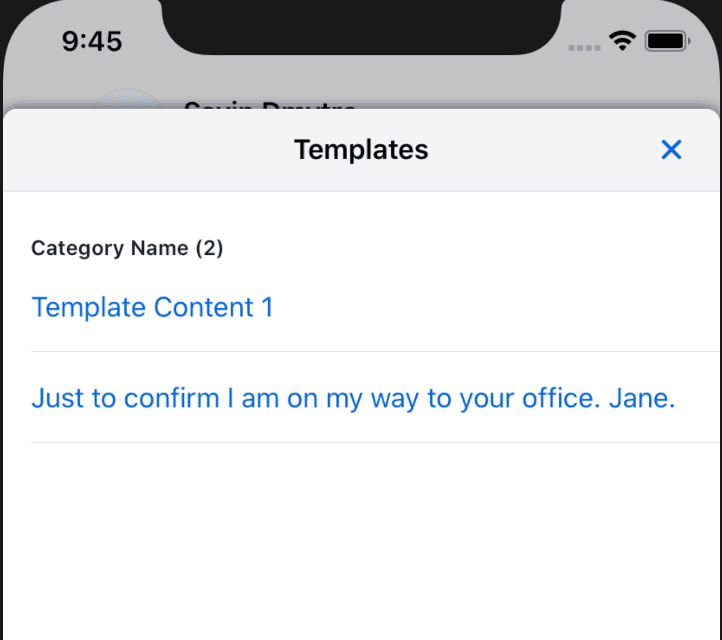
1[2{3"display_name": "Category Name",4"templates": [5{ "content": "Template Content 1" },6{ "content": "Just to confirm I am on my way to your office. Jane." }7]8}9]
In App example: