My Customers
In the Frontline mobile application, you can access a list of Customers and get their Customer Details. In order to populate the Customer Details and Customers List screens with data, the Frontline application needs information about your customers.
To grab the data for the Customers List and Customer Details screens, the app will make an API call to the configured CRM Callback URL to fetch customer data for each screen. Based on the Location parameter, your server can tell which information was requested.
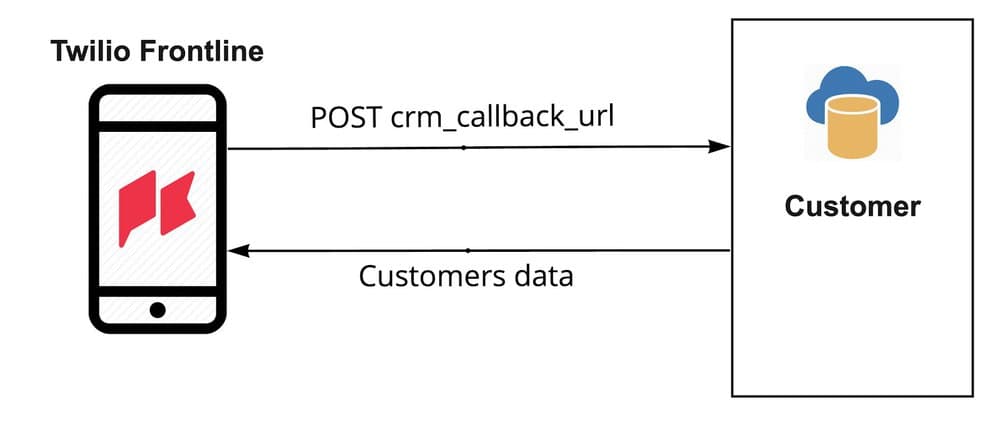
To configure the CRM Callback URL, open the Frontline console and set the CRM Callback URL configuration option to a URL that will return customer data in JSON format:
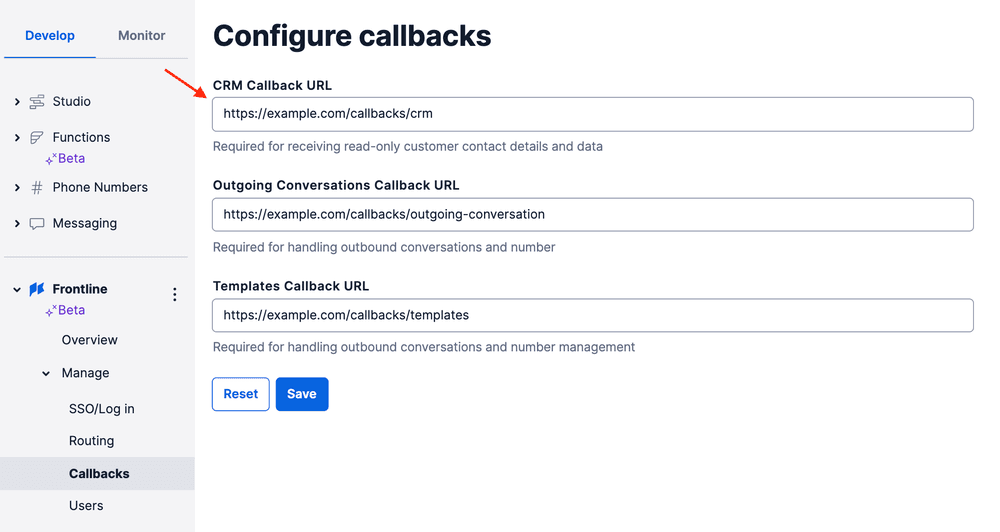
For an example of a Customer object, check out the Node.js Quickstart section on populating the My Customers list.
Customer objects returned from the CRM callback URL contain the property customer_id. This ID is an important part of the Frontline application as some features, such as Customer Details, rely on it. It's also a way to tie together the Conversations API and CRM data under the hood. A Customer ID is not restricted to any particular format, the only requirement is that it's unique.
An additional property of the Customer object is the Participant. The Participant resource allows the user to navigate from the conversation screen to the Customer Details screen, which shows individual information for that particular Customer.
Info
Each Customer Conversation Participant needs to have a configured customer_id attribute set on a participant each time a new conversation with a customer is created.
When the Frontline application makes a POST HTTP request to your server, it includes information about the action that triggered the callback to your Frontline Integration Service. Each action has its own Location type. The Location will be sent with the rest of the parameters in the request body in application/x-www-urlencoded format.
In addition to the location-specific parameters, each request also contains the following parameters and information:
| Parameter name | Type | Description |
|---|---|---|
| Location | string | A single callback URL might be used for different purposes. Use this parameter to determine how to process a request. |
| Worker | string | The app user identity |
In what follows, we'll describe two possible actions: GetCustomerDetailsByCustomerId and GetCustomersList.
Info
Frontline will send a request with Content-Type header of application/x-www-urlencoded and will expect a response with Content-Type header of application/json and a body based on the Location parameter.
Gets details for an individual Customer using the customer_id attribute.
Request parameters
| Parameter name | Type | Description |
|---|---|---|
| Location | string | Always GetCustomerDetailsByCustomerId |
| CustomerId | string | Customer Id provided by the server |
| Worker | string | The app user identity |
Response format
| Parameter name | Type | Description |
|---|---|---|
| objects.customer | Customer | Customer details to display. If some of the fields are missing, the line won't be rendered |
JSON response example
1{2"objects": {3"customer": {4"display_name": "Bobby S.",5"customer_id": "1",6"channels": [{ type: "sms", "value":"+123456789" }]7}8}9}
In App example
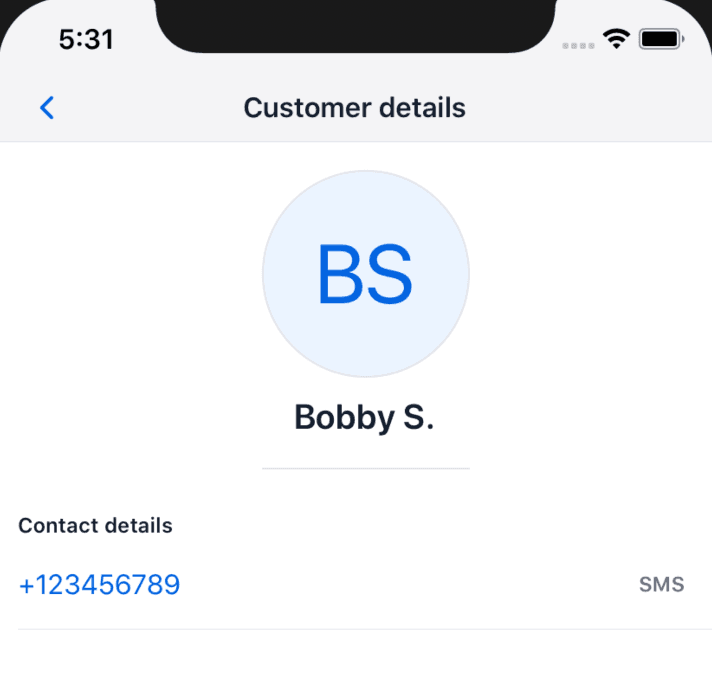
Gets a list of Customers and returns them as an array of objects based on a worker identity.
Request parameters
| Parameter name | Type | Description |
|---|---|---|
| Location | string | Always GetCustomersList |
| PageSize | string | The number of customers to return in a response |
| Anchor | string, optional | The Customer ID of the last customer that was loaded |
| NextPageToken | string, optional | A string for pagination. See Custom pagination, below |
| Worker | string | The app user identity |
| Query | string, optional | Frontline user's search query in case it is a search request. See Customer search, below |
Response format
| Parameter name | Type | Description |
|---|---|---|
| objects.customers | Array<Customer> | List of customers to display. For example: [{ display_name: ‘John D.', customer_id: '13' }] |
| objects.searchable | Boolean | Whether the integration service is handling search or not. See Customer search, below |
| objects.next_page_token | string | A string for pagination which will be sent with the next request. See Custom pagination, below |
JSON response example
1{2"objects": {3"customers": [4{5"display_name":"Bobby S.",6"customer_id":"1"7}8]9}10}
The Frontline app has built-in search functionality which filters customers locally. We recommend implementing your own search functionality for better performance, especially if your Frontline users have more than 100 customers, or if you'd like to search across additional fields in your CRM.
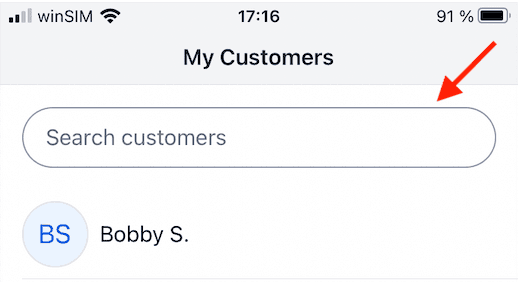
Frontline uses the GetCustomerList location for searching customers with an additional Query parameter. Your integration service can interpret that as a search operation by checking for the existence of this parameter. If your integration service handles the search, the response should contain the property searchable and set it equal to true.
Response payload example
1{2"objects": {3"customers":[4{5"display_name":"Bobby S.",6"customer_id":"1"7}8],9"searchable": true10}11}
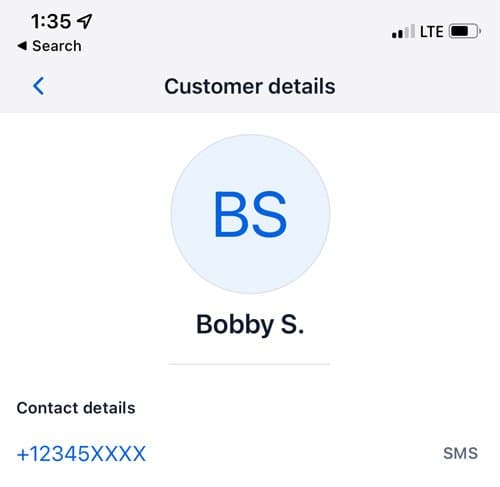
Phone number masking is a Frontline Administration feature that applies masking to the last four digits of any Channel Address supplied to Frontline from the CRM callback GetCustomerDetailsByCustomerId. Phone number masking applies to all channel addresses including phone numbers and WhatsApp numbers on the Frontline customer details screen.
In App example:
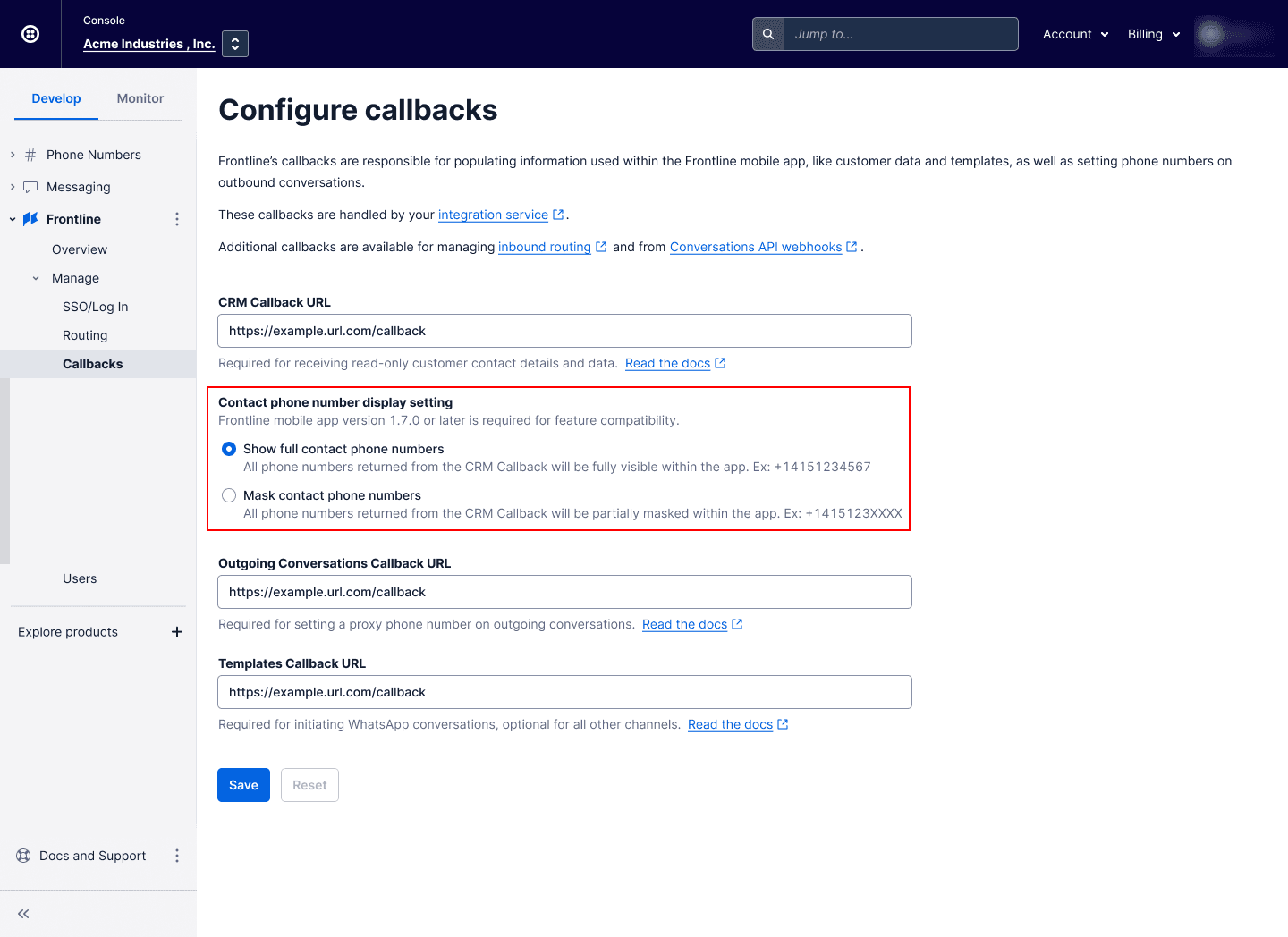
You can follow the next steps to enable or disable Phone Number masking for all users in the account:
- Sign in to the Twilio Console as an admin with the privilege to edit account settings.
- In the Develop menu, navigate to the Frontline console. Go to the Manage > Callbacks section.
- Under Contact phone number display setting, click Mask contact phone numbers to enable masking or click Show full contact phone numbers to disable masking.
- Click Save.
If the Anchor-based pagination in the Frontline Integration Service (see customers.js) doesn't suit your needs, you can use the objects.next_page_token field to implement your custom pagination logic. It can be used for token/offset based pagination.
Example request
1curl --location --request POST 'https://example.com/callbacks/crm' \2--header 'Content-Type: application/x-www-form-urlencoded' \3--data-urlencode 'Location=GetCustomersList' \4--data-urlencode 'Worker=alice' \5--data-urlencode 'PageSize=30'
Example response
1{2"objects":{3"customers":[4{5"display_name":"Bobby S.",6"customer_id":"1"7}8...9],10"next_page_token": "PAGE_TWO_TOKEN"11}12}
If next_page_token is defined, the app adds the passed next page token as the NextPageToken attribute to the payload, instead of Anchor, to every consecutive request after the first page load.
1curl --location --request POST 'https://example.com/callbacks/crm' \2--header 'Content-Type: application/x-www-form-urlencoded' \3--data-urlencode 'Location=GetCustomersList' \4--data-urlencode 'Worker=alice' \5--data-urlencode 'PageSize=30' \6--data-urlencode 'NextPageToken=PAGE_TWO_TOKEN'
Response:
1{2"objects":{3"customers":[4{5"display_name":"John S.",6"customer_id":"31"7}8...9],10"next_page_token": "PAGE_THREE_TOKEN"11}12}